Your AI Agent Needs to Know Who You Are
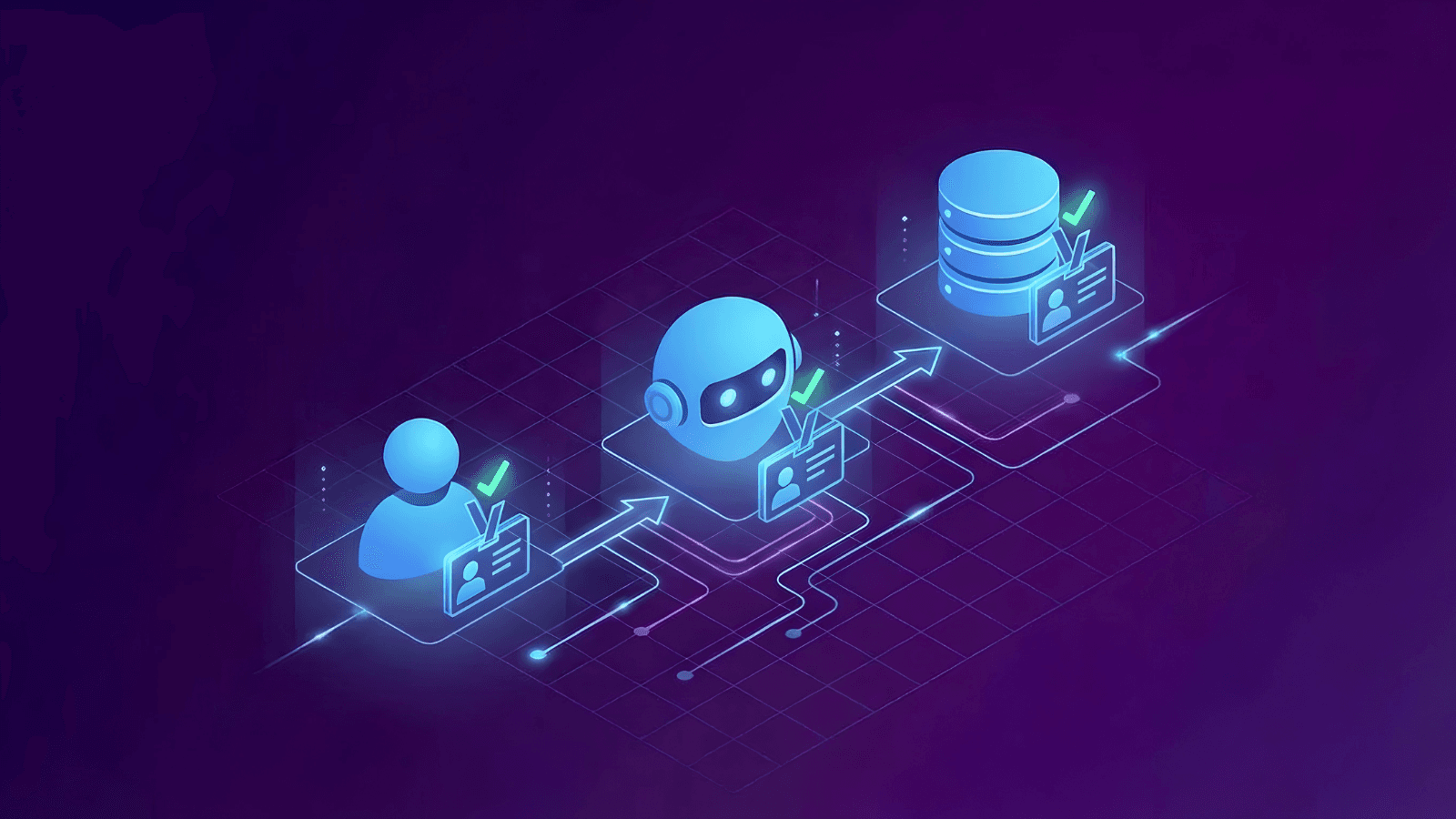
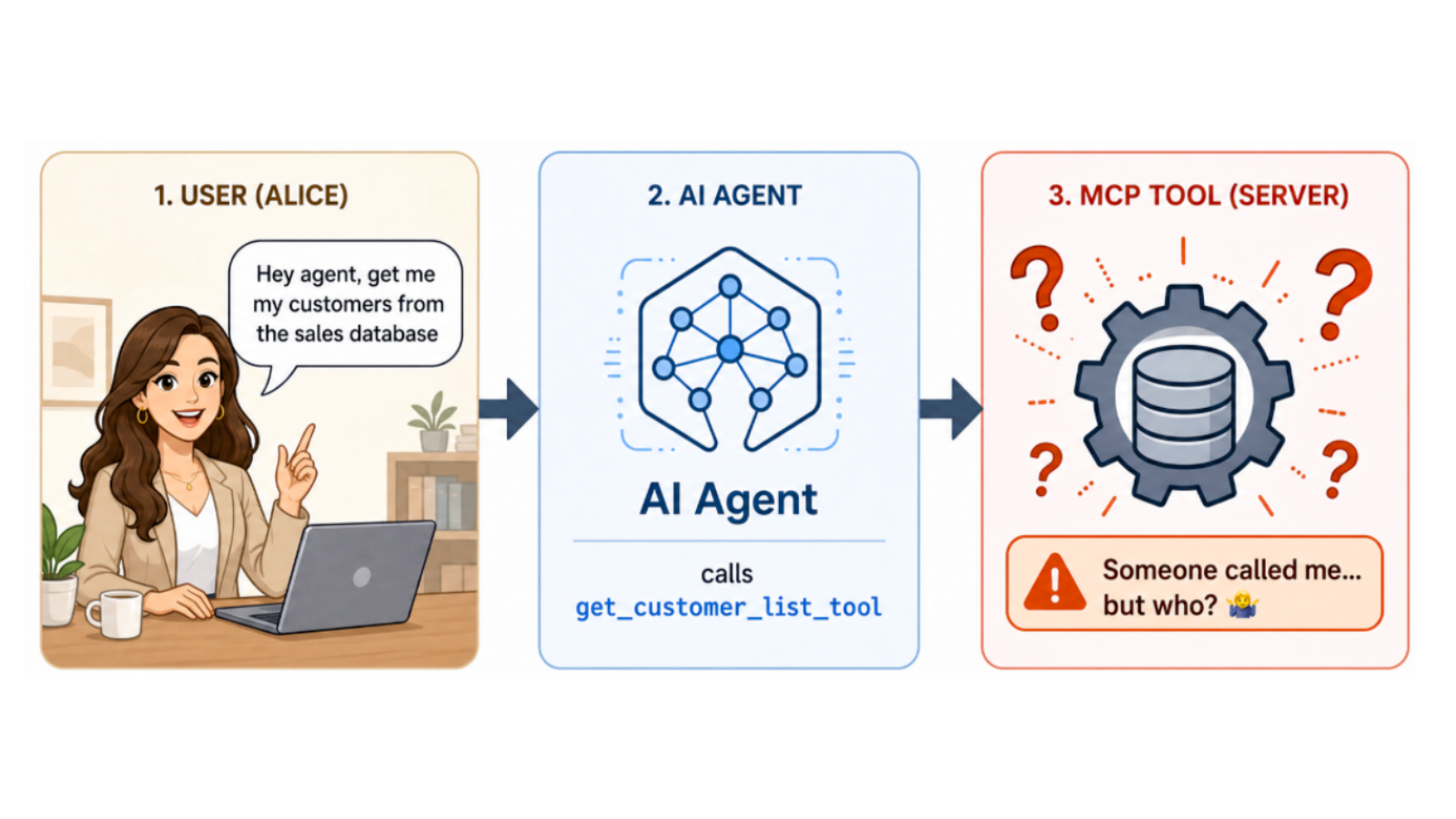
When your AI agent calls an MCP tool, that tool has no idea who actually triggered the request. It sees the agent, not you.
This post explains why that matters and how to fix it with Teleport JWTs. In part two of this post, we will explain how to extend this to AWS to carry your identity through Amazon Bedrock AgentCore all the way into CloudTrail.
MCP tools are identity-blind
MCP tools can be used by agents to perform tasks like query databases, list S3 buckets, check orders, and deploy code. But every tool shares the same blind spot: they don’t know who actually initiated the request.
By default, MCP tools are unable to distinguish between Alice (who should only see her data), Bob (who needs broader team access), or Carol (who shouldn’t be there at all). Without this context, you’re stuck choosing between overprovisioning access for everyone or slowing down agents with least-common-denominator permissions.
This also means that the default MCP audit trail isn’t much help either, only showing that “the agent did something” but not who asked it to.
How to carry your identity through the agent
The mechanism that solves these challenges for MCP tools is a JSON Web Token (JWT): a short-lived, cryptographically signed token issued by Teleport at login.
A JWT is a base64-encoded JSON object with three parts: a header (algorithm and token type), a payload (claims about the user), and a signature (proof that Teleport issued it and that nobody has tampered with it). Because the signature is generated with Teleport's private key, any system holding the corresponding public key can verify the token's authenticity without contacting Teleport directly. This ensures that MCP tools receive identity as a trusted claim without having to configure a custom auth layer or maintain a separate user database.
The JWT validation flow
Step 1: You authenticate
Start with a normal Teleport login:
# Authenticate via your SSO, MFA, etc.
tsh login your-cluster.teleport.sh

# Connect to the MCP server through Teleport
tsh mcp connect your-mcp-resource
tsh login authenticates you against your Teleport cluster using your configured identity provider (Okta, Azure AD, Google Workspace, or equivalent) and stores short-lived certificates on your local machine. tsh mcp connect then opens a proxied connection to the MCP server and generates a JWT from those certificates that is attached to every subsequent agent request. This JWT is unforgeable (signed by Teleport's private key), short-lived (auto-expires), and verifiable (anyone can validate it against Teleport's public keys).
{
  "sub":   "[email protected]",               // verified identity
  "roles": ["developer", "db-reader"],    // Teleport roles
  "aud":   "mcp+https://your-gateway/mcp", // intended recipient
  "exp":   1735689600                       // 1-hour TTL
}
The sub claim identifies you, while the roles claim carries your Teleport roles, which downstream tools use for authorization decisions. The aud claim locks the token to a specific MCP gateway so it can't be replayed against unrelated services. exp sets a hard expiration, typically one hour, after which the token is rejected and a new login is required.
Step 2: The agent makes a request
If you ask, “What’s the status of order #42?” the agent calls get_order_tool with your JWT automatically attached. Because tsh mcp connect proxies the connection, the token travels with every request without additional configuration on the agent side.
POST https://your-mcp-gateway/mcp
Authorization: Bearer <your-teleport-jwt>

{
  "jsonrpc": "2.0",
  "method": "tools/call",
  "params": {
    "name": "get_order_tool",
    "arguments": { "order_id": "42" }
  }
}
Step 3: The MCP server validates the token
Before executing anything, the MCP server validates the JWT against Teleport’s public OIDC keys, checking signature, audience, expiration, and required roles. Any failure rejects the request immediately and the tool never runs.
The MCP server retrieves Teleport's public keys from its OIDC discovery endpoint (/.well-known/openid-configuration), which exposes the JSON Web Key Set (JWKS) used to sign tokens. The server caches these keys and uses them to verify every incoming JWT. Because the keys are public, the MCP server never needs a direct trust relationship with Teleport beyond knowing where to fetch the JWKS.
No user database is needed on the MCP side. Instead, it uses standard OIDC validation against Teleport’s public keys, which is the same mechanism that powers enterprise SSO.
Step 4: Extract identity, check authorization
With the token validated, an authorization layer (such as a Lambda function, middleware, or logic built into the server) decodes the JWT, extracts the caller’s email ([email protected]) and roles ("developer", "db-reader"), and checks whether that user is allowed to invoke the specific tool. On deny, the request stops and the tool does not execute. On allow, the identity is added to the request as trusted parameters.
- Decode the validated JWT and extract your identity:
** Email:[email protected]
** Roles:["developer", "db-reader"] - Check if you are authorized to call this specific tool:
** "Can user[email protected]with roles["developer"]invokeget_order_tool?"
** This can be a simple policy check, a database lookup, or whatever fits your architecture - On
DENY: Return an error, tool never executes - On
ALLOW: Inject your identity into the tool's parameters and forward the request
Step 5: The tool knows who you are
Tools receive identity as clean function parameters. Because the upstream authorization layer has already answered every trust question, identity is just another argument by the time the function runs.
def get_order_tool(order_id,
                   _teleport_user=None,
                   _teleport_roles=None):
    if 'order-admin' in _teleport_roles:
        order = fetch_order(order_id)  # admins see any order
    else:
	 # scoped to caller
        order = fetch_order(order_id, owner=_teleport_user)
    audit_log(f"{_teleport_user} accessed order {order_id}")
    return order
In this example, the admin can see any order while a non-admin sees only orders they own. The tool reads the roles assigned by Teleport and acts accordingly. Adding a new role or changing permissions happens in Teleport rather than ad-hoc in tool code.
What identity propagation changes
Propagating identity through the agent stack affects three areas: audit, tool behavior, and maintenance overhead.
Audit trails with actual names
Without identity, your logs read “update_order_tool executed at 2:34 PM.” But when something breaks in production, you need to know who caused it.
With Teleport, audit logs appear as:
2:34 PM - User alice@goteleport.com updated order #42 to 'shipped'
This ensures that the full chain of actions from human, to agent, to tool is logged and attributed to a verified identity.
Context-aware tool behavior
When a user asks “what have I been working on?” the word “I” must lead to an actual identity. Without identity, a get_recent_activity tool doesn't know whose activity to return. It either returns nothing, returns everything (leaking data across users), or requires the user to manually pass their own email as an argument, which any user could fake. With identity injected, the query filters automatically:
def get_recent_activity(_teleport_user=None, **kwargs):
    return query_database(
        "SELECT * FROM activity WHERE user_email = ? ORDER BY timestamp DESC LIMIT 10",
        (_teleport_user,)
    )
Every tool that needs to answer "for whom?" benefits from the same injection. Personalization, data filtering, rate limiting, and per-user quotas all become possible without per-tool auth code.
Teleport: A unified identity layer
Every additional identity store creates a reconciliation problem: roles drift out of sync, offboarding checklists grow, and mismatches between systems expand your attack surface. Extending Teleport to AI tools requires no new identity system and uses the same roles and audit logs. When someone leaves the company, their access to servers, databases, and AI tools is revoked simultaneously.
For a working implementation, see the GitHub repo. The Python notebooks walk through JWT validation, identity extraction, and real-time authorization — everything needed to build an MCP server that sees the person responsible, not just the agent.
Explore Teleport’s Agentic Identity Framework to learn more about agent identity, including design and reference implementation for the secure deployment of agents on infrastructure.
Next week in Part 2, we take this further into AWS. If your agent calls S3, DynamoDB, or any AWS service via Amazon Bedrock AgentCore, you face the same identity gap, but the fix requires a different stack. We’ll cover the AgentCore JWT authorizer, a REQUEST interceptor Lambda, and Cedar policies via Amazon Verified Permissions, so every AWS call is attributed to the right human identity.

Jeffrey Ellin
Jeffrey Ellin is a cloud-native technologist with 10+ years of hands-on experience in Kubernetes architecture, enterprise-scale containerized deployments, and AI-powered applications. Jeffrey actively builds and experiments with agentic AI systems, including Model Context Protocol (MCP) integrations, OAuth workflows, and machine identity with SPIFFE to bridge the gap between emerging technology and real-world, production-ready solutions.
Table Of Contents
Teleport Newsletter
Stay up-to-date with the newest Teleport releases by subscribing to our monthly updates.
Tags
Tags
Teleport Newsletter
Stay up-to-date with the newest Teleport releases by subscribing to our monthly updates.
Related Articles
Secure AI Agent Infrastructure with Zero-Code MCP
Secure AI agent workflows without writing authorization code. Teleport delivers least privilege, just-in-time access, and identity auditability for MCP agents.
How to Extend SPIFFE Beyond Kubernetes: Bring Zero Trust Identity to Your VMs
Discover how Envoy + SDS and Teleport Workload Identity let off-cluster workloads securely call Istio services without distributing certificates.
Kubernetes for Agentic AI: Best Practices for Security and Observability
Discover 18 Kubernetes security, observability, and availability best practices for container-based agentic workloads.